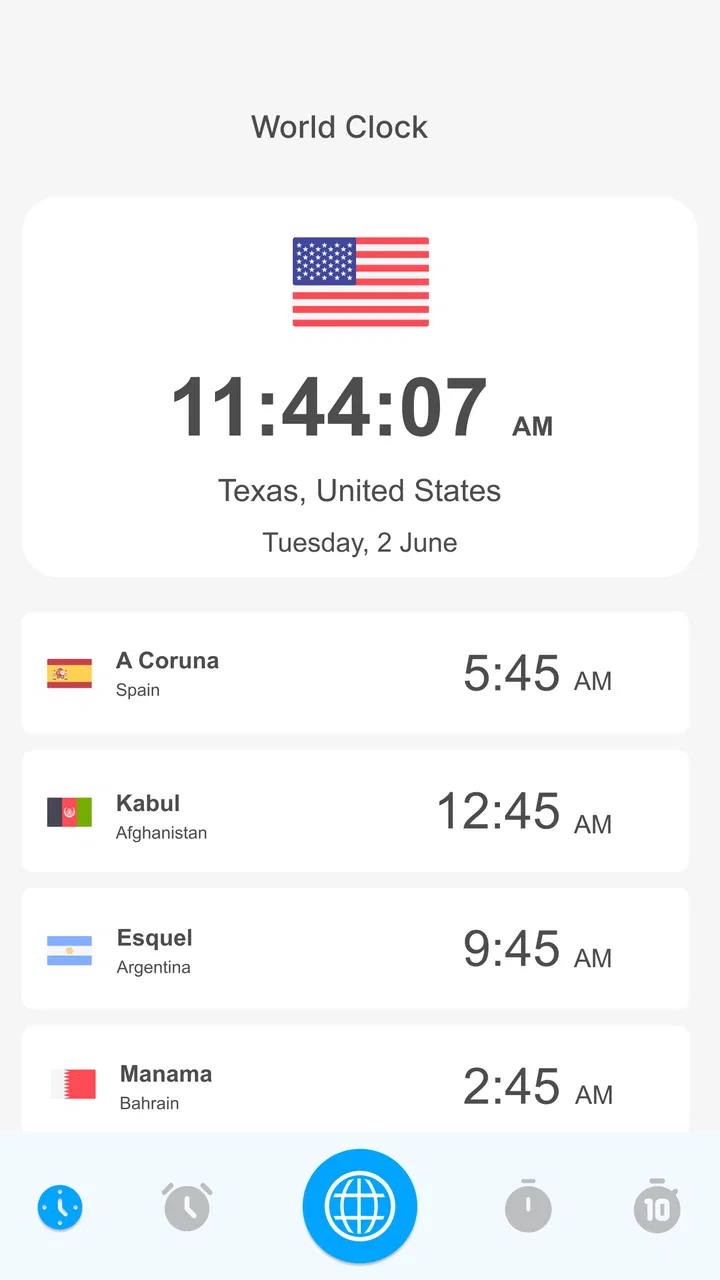
World Clock - World time clock
- 3.9
- Rating
- 500.00K
- Installs
- Free
- Price

 Analysis by App-foxy
I approached World Clock - World time clock as a focused weather-category utility rather than a complete forecasting service. Its main job is simple: help me check the current time across different parts of the world. That narrow purpose is also its clearest strength. When I need to know whether a colleague is likely to be awake, whether a remote meeting falls during someone’s evening, or how far another city is ahead of me, a dedicated world clock can be more useful than opening a full weather dashboard.
My overall impression is that this is a practical, uncomplicated app for people who regularly deal with different time zones. It is free to install, available to users rated Everyone, and works on Android devices running version 6.0 or later. The developer is Battery Stats Saver, and the current release is version 1.2.4.4. The app has reached over 500 thousand installs and holds an average rating of 3.9 from around one thousand ratings, which suggests that many people find the basic idea useful while also leaving room for individual differences in expectations.
How World Clock fits into everyday time-zone problems
The most useful way to think about this app is as a quick reference tool. I would not choose it as my only weather resource, calendar, or travel planner. I would choose it when the question is specifically, “What time is it there right now?” That distinction matters because many apps try to combine clocks with forecasts, news, alarms, calendars, and location services. Those extras can be convenient, but they can also make a simple check slower.
You May Also Like

 Blood Strike: 2.5 Anniversary
Blood Strike’s Loadouts Turn Every Drop Into a Tactical Gamble
A close look at Blood Strike’s custom loadouts: how fast access to signature weapons reshapes its battle royale rhythm, rewards preparation, and narrows the gap between fights.

 Pandora - Music & Podcasts
Pandora’s Music Is Easy to Start, but Harder to Recover
Pandora’s strength is its low-effort path from a seed to a station. Its weak spot is how much confidence it asks you to place in connection, setup, and quiet recovery.

 8 Ball Pool
 Is Built on Rivalries, Rematches, and Routine
A close look at the rivalries, rematches, shared routines, and unanswered safety questions that turn a quick pool match into a persistent mobile community.

 Samsung Music
’s Quiet Strength Is Playing What You Already Own
Its reach comes less from spectacle than from dependable access to a personal library. That simplicity is both the app’s strongest retention engine and its ceiling.

 AccuWeather: Weather Radar
AccuWeather Review: A Quick, Clear Forecast for Everyday Decisions
For everyday plans, the best forecast is the one you can understand quickly. AccuWeather makes rain timing, radar, and local conditions easy to act on, with a few trade-offs.

 Hill Climb Racing
Why Hill Climb Racing Still Turns Crashes Into One More Run
A tiny car, a bumpy hill and one more upgrade: Hill Climb Racing keeps resurfacing because its simple chaos makes every near-miss feel personal.
More From Our News Desk



The store summary presents the app as a way to see time zones around the globe and get a real-time clock. In practice, that gives it a clear place on a phone: checking several locations without manually calculating the difference. The benefit is strongest when the same destinations come up repeatedly. A person working with an overseas team, keeping in touch with relatives abroad, or following an international event can use a world clock as a small daily reference instead of repeatedly searching the web.
I also like the fact that the app’s purpose is easy to understand before using it. There is no complicated learning curve implied by the concept. A first-time user is likely to open it with one question and know immediately whether it answers that question. That directness is more valuable than it sounds, especially when I am checking a time quickly while preparing a message or deciding whether a call is appropriate.
One realistic example is a freelancer in London working with a client in New York and a supplier in Tokyo. Rather than remembering several offsets, the freelancer can look at the relevant locations before sending a proposal or scheduling a call. The useful workflow is not merely seeing a clock once; it is keeping the app available as a repeatable checkpoint during the working day. That reduces the chance of sending a late-night message or arranging a meeting at an inconvenient hour.
The strongest part is the reduction of mental arithmetic
Time-zone mistakes are rarely caused by an inability to read a clock. They happen because people calculate differences from memory, forget seasonal changes, or confuse the date when a location is ahead. A world clock gives the user a visual reference instead of requiring a mental conversion every time. That is the app’s most meaningful practical advantage.
This is especially helpful when locations are far apart. A small difference is easy to estimate, but a large difference can cross midnight and change the calendar day. Looking at the destination’s displayed local time is safer than adding or subtracting hours in a hurry. For travel planning, remote work, and international family calls, that small reduction in uncertainty can prevent surprisingly awkward mistakes.
Another useful habit is to check the clock immediately before confirming a meeting rather than relying on an old note. A saved time-zone conversion can become wrong when seasonal clock changes affect one location but not another. World Clock - World time clock is better used as a live reference than as a one-time calculator. I would open it before sending the final invitation, particularly when the meeting involves people in different regions.
There is also a subtle advantage to separating time checking from weather checking. Weather apps are designed to answer forecast questions, but their time-zone displays may be secondary or absent. If I only need a local time, opening a dedicated clock avoids scrolling through forecasts, maps, alerts, and other information. Conversely, if I need to know whether someone is awake and whether rain will affect a planned activity, a full weather or travel app may be a better single destination.
Where the focused design helps, and where it may feel limited
The app’s simplicity is likely to appeal to people who want a single-purpose tool. There is less conceptual clutter than in a broad travel application. I can approach it with a specific task: compare times, confirm a local hour, or check whether the date has changed elsewhere. For many users, that is enough functionality to justify keeping it installed.
At the same time, a focused clock cannot replace the surrounding tools people often use with it. It does not become a calendar simply because it helps choose a meeting time. It does not become a forecast service because it sits in the weather category. If my main need is hourly weather, severe-weather information, sunrise data, or a trip itinerary, I would use an app built around those tasks instead.
This is the first important trade-off: World Clock - World time clock can be more convenient than a general app for time checks, but less convenient when several related tasks need to happen together. Someone who wants one dashboard for flights, hotel bookings, local weather, currency, and time may prefer a travel-focused alternative. Someone who repeatedly needs only international time comparisons may find that broader apps create unnecessary steps.
Practical ways to use it without creating new confusion
I recommend treating the app as a confirmation tool, not as a substitute for careful scheduling. When arranging a call, first decide which person’s working hours matter, then check the destination time, and finally write the meeting time with the location named. Saying “Tuesday at 10” is still ambiguous; saying “Tuesday at 10 in Tokyo” gives everyone a clear reference. The clock helps with the conversion, but clear wording prevents the final communication error.
A second useful approach is to check the date as well as the hour. When a location is ahead, a late evening at home can already be the following day elsewhere. This matters for deadlines, birthdays, online events, and support coverage. I would never copy only the hour into a note without also confirming the day shown for the destination.
For recurring work, I would keep a small list of the locations that genuinely matter rather than adding every city I might someday visit. A crowded comparison screen can make the app less useful because the important destinations become harder to spot. The best world-clock setup is usually personal and selective: home, the main work location, and the places connected to current projects or family.
A third insight is to use it before, not after, sending a message. Many people check time zones only when someone complains about an inconvenient call. A ten-second check before contacting a person in another region is a better workflow. It turns the app from an emergency correction tool into a simple part of respectful communication.
What I would want users to consider before installing
The free price makes experimentation easy, but the app also includes in-app purchases ranging from $0.99 to $99.99 per item. That wide range is worth noticing before making any purchase. I would install the free version first, use it during normal routines, and decide only afterward whether any paid option adds enough value for my particular needs. A person who checks overseas time once a month may have no reason to spend money, while someone who relies on the tool daily may judge additional options differently.
I would also keep expectations realistic about the rating. An average of 3.9 is neither a warning to avoid the app nor a guarantee that every user will find it perfect. With around one thousand ratings and twenty-two written reviews, the overall score offers a general signal, but the experience will depend on what each person expects from a world clock. Users seeking a straightforward time reference may be satisfied; users expecting a full-featured weather or travel platform may rate it more harshly because it does not serve the same purpose.
The age rating of Everyone is appropriate for the basic use case. This is the kind of utility that can be relevant to families, students, travelers, and professionals without requiring mature content or specialist knowledge. Compatibility with Android 6.0 and later also means it is aimed at a broad range of Android devices rather than only recent phones.
Who will get the most value from it?
I see the strongest fit for people with a recurring international connection. Remote workers can use it before arranging meetings. Students taking part in overseas classes or events can confirm local start times. Families with relatives abroad can avoid calling during the middle of the night. Travelers can use it as a quick orientation tool while moving between destinations or waiting for a flight.
It may also help customer-support staff, online sellers, and community moderators who need to understand when another region is likely to be active. The app does not need to manage the entire workflow to be useful. Sometimes the best tool is the one that answers one small question reliably enough to support a larger task.
I would be more cautious about recommending it to someone whose phone already has a world clock that handles every required location. In that situation, installing another clock may add little value. The same applies to users who mainly want weather forecasts. The weather category can make the app discoverable, but its defining purpose is time-zone viewing, not detailed meteorological planning.
It is also not my first choice for people who need sophisticated scheduling across many participants. A calendar service that automatically converts meeting times for each attendee is usually better for complex teams. A world clock helps me understand the time difference, but a dedicated scheduling tool can handle invitations, availability, reminders, and changes in one place. Choosing between them depends on whether the problem is “What time is it there?” or “When can everyone meet?”
Comparison with the usual alternatives
The most obvious alternative is a phone’s built-in clock application. That option has the advantage of already being installed and often includes basic world-clock support. If the built-in tool lets me add the locations I care about and displays them clearly, it may be all I need. World Clock - World time clock becomes more attractive when I prefer a separate, dedicated interface or want a tool specifically centered on global time rather than alarms and timers.
Search engines are another alternative. Typing a time-zone question can work for a one-off check, but it is less convenient for repeated comparisons. A dedicated app removes the need to phrase the question correctly each time and makes the workflow feel more consistent. The trade-off is that a search engine can answer many related questions in one place, while this app is designed around a narrower purpose.
Travel and weather apps often include local-time information alongside forecasts, maps, or itineraries. They are better when time is just one part of a larger trip decision. For example, if I am deciding whether to visit a destination in the afternoon, forecast details matter as much as the clock. If I am only checking whether a friend abroad is likely to be available, the extra travel information may be unnecessary.
Calendar platforms are preferable for scheduled meetings involving several people. They can provide a formal event record and reduce ambiguity in invitations. A world clock is more flexible for informal decisions, quick messages, and general awareness. I would use this app to decide whether a proposed hour is sensible, then use a calendar when the appointment needs to be managed officially.
My final assessment of the everyday experience
What I appreciate most is the clarity of the central task. The app is not trying to make me plan a holiday, interpret a forecast, or manage a calendar when all I want is a global time reference. That focus makes it a sensible companion for international communication. Its strongest use is not occasional curiosity about another city; it is repeated checking tied to real relationships, work, study, or travel.
The limitation is equally clear: the narrower the task, the more important it is that the app match the user’s exact expectations. If I wanted advanced scheduling, detailed weather, or travel organization, I would choose another category of tool. I would also test the free experience before considering the in-app purchases, especially because the available purchase range extends from a small amount to a much larger one.
My recommendation is straightforward: choose World Clock - World time clock if you want a dedicated way to compare global times, but skip it if your real need is forecasting or full travel planning. Battery Stats Saver has produced a useful concept for Android users who regularly cross time zones, and the broad device compatibility makes it accessible to many people. It is not a universal time-management solution, but within its intended role, it can remove a small source of daily friction.
For me, the deciding question would be frequency. If I contact people overseas several times a week, the convenience of a dedicated world clock is easy to justify. If I rarely need international time information, the built-in clock or a quick search may be enough. Used with that expectation, World Clock - World time clock is a practical free utility rather than an app I would install for features it was never designed to provide.
FAQs for World Clock - World time clock
01What is World Clock - World time clock used for?
World Clock - World time clock is designed to help you check the current time in cities and countries around the world. It is useful for travelers, remote workers, international students, online gamers, and anyone who regularly communicates across time zones. After testing the app, its main appeal is the quick access to multiple locations without manually calculating time differences.
02Can I add several cities and compare their time zones?
Yes, the app allows you to add multiple cities or locations to create a personalized world clock list. This makes it easier to compare local times at a glance, especially when planning meetings or contacting people abroad. Depending on the device and version, you may also be able to reorder or remove saved locations to keep the clock screen organized.
03Does World Clock - World time clock adjust for daylight saving time?
The app is intended to display local times based on the selected locations and their applicable time-zone rules, including daylight saving changes where supported. However, daylight saving policies can change unexpectedly in some regions, so users should keep the application updated and verify important appointments with their calendar or official local information before relying on a displayed time.
04Does the app require an internet connection to work?
World Clock - World time clock may work without a continuous internet connection once the relevant time-zone data has been loaded, which is convenient while traveling or using mobile data sparingly. An internet connection may still be needed for initial setup, updates, location searches, or refreshed time-zone information. Exact offline behavior can vary by platform and app version.
05Is World Clock - World time clock free, and does it contain ads?
The application can generally be downloaded and used for basic world-time checking, but availability of advertisements, premium features, or in-app purchases may depend on the Android or iOS version. Before installing, review the store listing for current pricing and permissions. Users who prefer an uninterrupted experience should also check whether an ad-free upgrade is offered.
Pros
- Supports multiple cities for quick time comparisons.
- Clear clock display makes current times easy to check.
- Useful for planning calls across different time zones.
- Includes local date information alongside the time.
- Simple interface is suitable for occasional users.
Cons
- Some features may require a premium upgrade.
- Time-zone changes can be confusing during daylight saving shifts.
- City search may be less convenient with an extensive list.
- Ads can reduce viewing space in the free version.
- It may use location access for automatic local-time settings.

World Clock - World time clock
Gallery